youtube thumbnail prompts
ai thumbnail generator
midjourney thumbnail prompts
youtube ctr
image prompts for creators
thumbnail design 2026
nano banana prompts
flux thumbnail prompts
youtube growth
prompt engineering og_image: "/images/youtube-thumbnail-prompts/01-hero.jpg"
27 YouTube Thumbnail Prompts That Actually Leave Room for Your Text
The first thumbnail I ever generated with AI was gorgeous. Cinematic light, sharp eyes, moody rim glow on a guy holding a camera. I dropped it into YouTube Studio, typed my four-word headline over it, and the text landed directly on his face.
So I moved the text down. Now it was on his hands. Moved it up. Now it was fighting a bright window in the corner. I spent forty minutes in Canva trying to rescue an image that was never going to work, and eventually I gave up and shot a photo of myself against a wall.
Here's what took me embarrassingly long to figure out: the image wasn't bad. The prompt was. I had asked for a photo. What I needed was a layout.
A thumbnail is a poster, not a photograph
Every good thumbnail on YouTube is doing the same quiet thing. One subject, one clear side of the frame, and a large chunk of the picture that is deliberately boring — flat colour, blurred wall, empty sky — sitting there waiting for your headline.
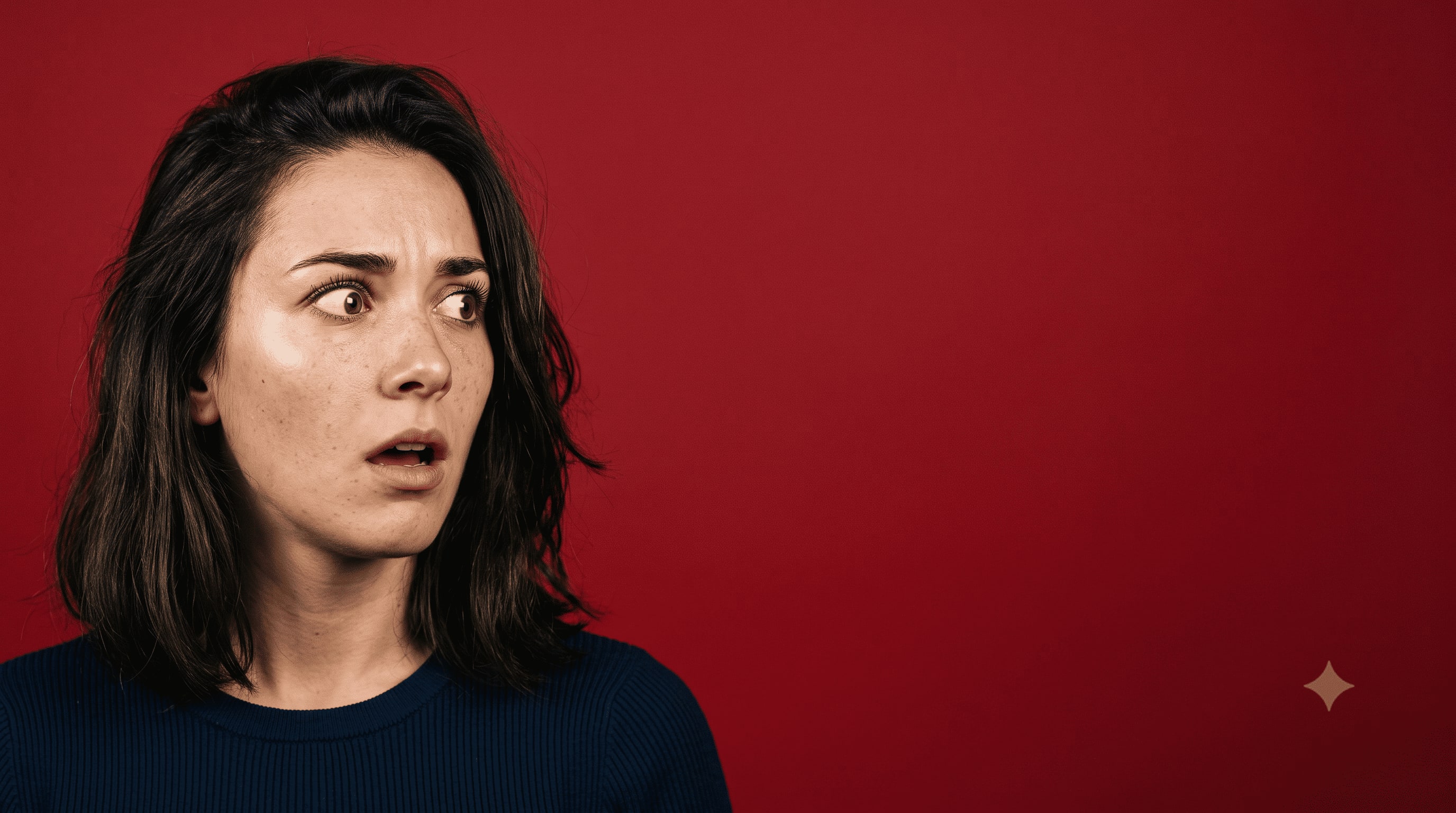

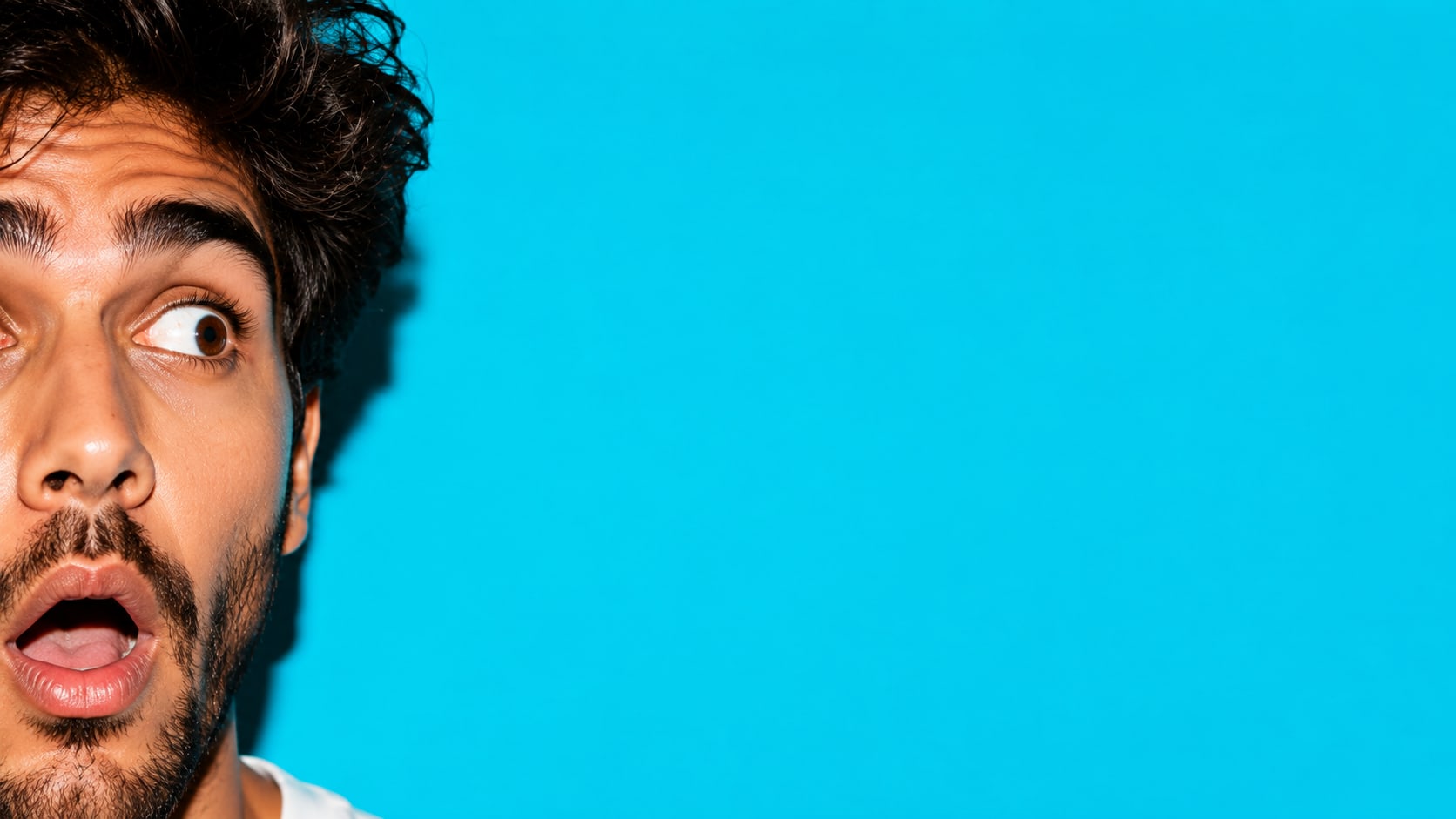
AI models don't know that. Ask for "a shocked man in a studio" and the model will happily fill all 1280 × 720 pixels with detail, because that's what makes an impressive image. Impressive images make terrible thumbnails. You want roughly 40% of the frame to be visually dead.
Once I started writing that requirement into the prompt itself — "subject occupies the left third, right two-thirds is flat uncluttered background for text overlay" — my hit rate went from maybe one usable image in twelve to about one in three. Same model. Same subject. Just a sentence about real estate.
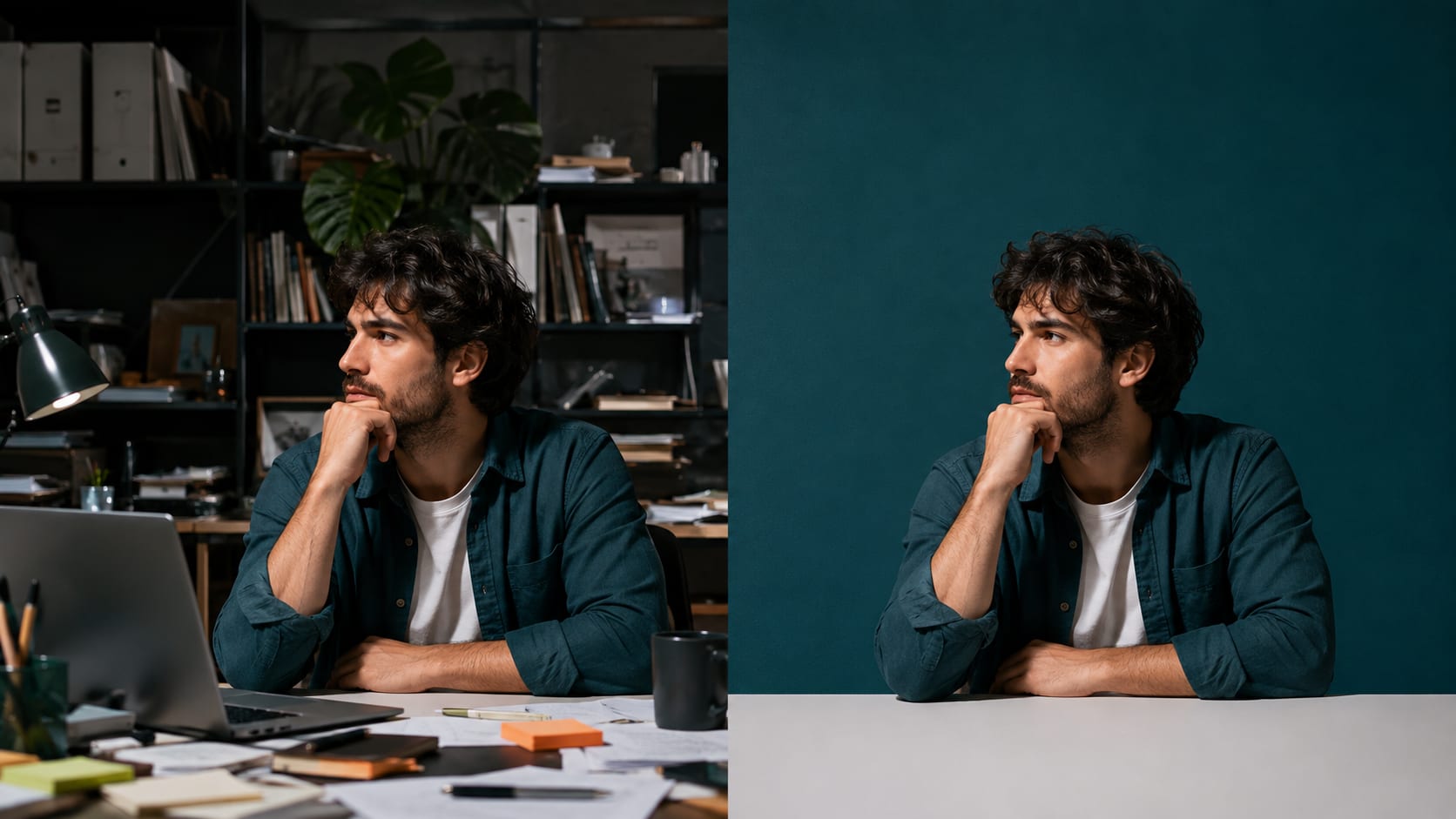
The second thing that changed everything was writing the background as a single colour instead of a scene. A "modern office" gives you shelves, plants, a window, a laptop, and eleven competing details at 320 pixels wide on someone's phone. A "flat deep teal wall, no props" gives you a poster.
The five things every thumbnail prompt needs
I use the same skeleton for everything now, and it takes about twenty seconds to fill in:
Shot type and framing. Close-up, medium, waist-up. Say it explicitly or the model picks something wide.
Where the subject sits. Left third, right third, lower left. Never centred, unless you're planning to put text across the top and bottom.
The dead zone. Name it. "Upper right 40% left empty, flat background, no detail."
Light with a direction. "Hard key light from camera left, deep shadow on the opposite cheek" beats "dramatic lighting" every single time.
A two-colour palette. Two colours, one of them saturated. Three or more and it turns to mud at thumbnail size.
I don't ask the model to render the headline text anymore. Some models handle it now, most still produce something with a missing letter or a weird ligature, and you can't A/B test a headline that's baked into the pixels. Generate the plate, add text in whatever editor you like, swap the words when the video underperforms.
The prompts
These are written for Chatgpt , Nano Banana, Midjourney, Flux, and anything else that takes natural language. Swap out my nouns for yours. Everything after the comma is doing structural work, so resist the urge to trim it.
Reaction and curiosity
1. Extreme close-up of a woman's face caught mid-reaction, eyebrows high, mouth slightly open, shot on 85mm at f/2, hard key light from camera left carving a shadow down the right cheek, background a single flat crimson wall with zero texture, subject pushed to the left third of a 16:9 frame, right 55% completely empty, high micro-contrast on skin, no props.
2. Waist-up shot of a man pointing off-frame to his right with a stunned expression, bright cyan seamless backdrop, hard flash lighting with a crisp drop shadow behind him, subject on the left edge, wide open negative space filling the right half, colours limited to cyan and skin tones, 16:9.
3. Split-frame composition, left half a man slumped at a cluttered desk under sickly green fluorescent light, right half the same man upright and lit warm gold against a clean background, hard vertical dividing line down the centre, no text, no labels, 16:9, high contrast between the two halves.
4. Close-up of two hands holding a small object just out of focus, the object obscured by deliberate motion blur, sharp focus on the knuckles, pitch black background occupying the entire upper half of the frame, single hard spotlight from above, 16:9, moody, minimal.
5. Medium shot of a person seen from behind, shoulders and back of head only, facing a huge blank white wall that fills 70% of the frame, cold blue overhead light, tiny subject in the lower left corner, deep perspective, 16:9, unsettling emptiness.
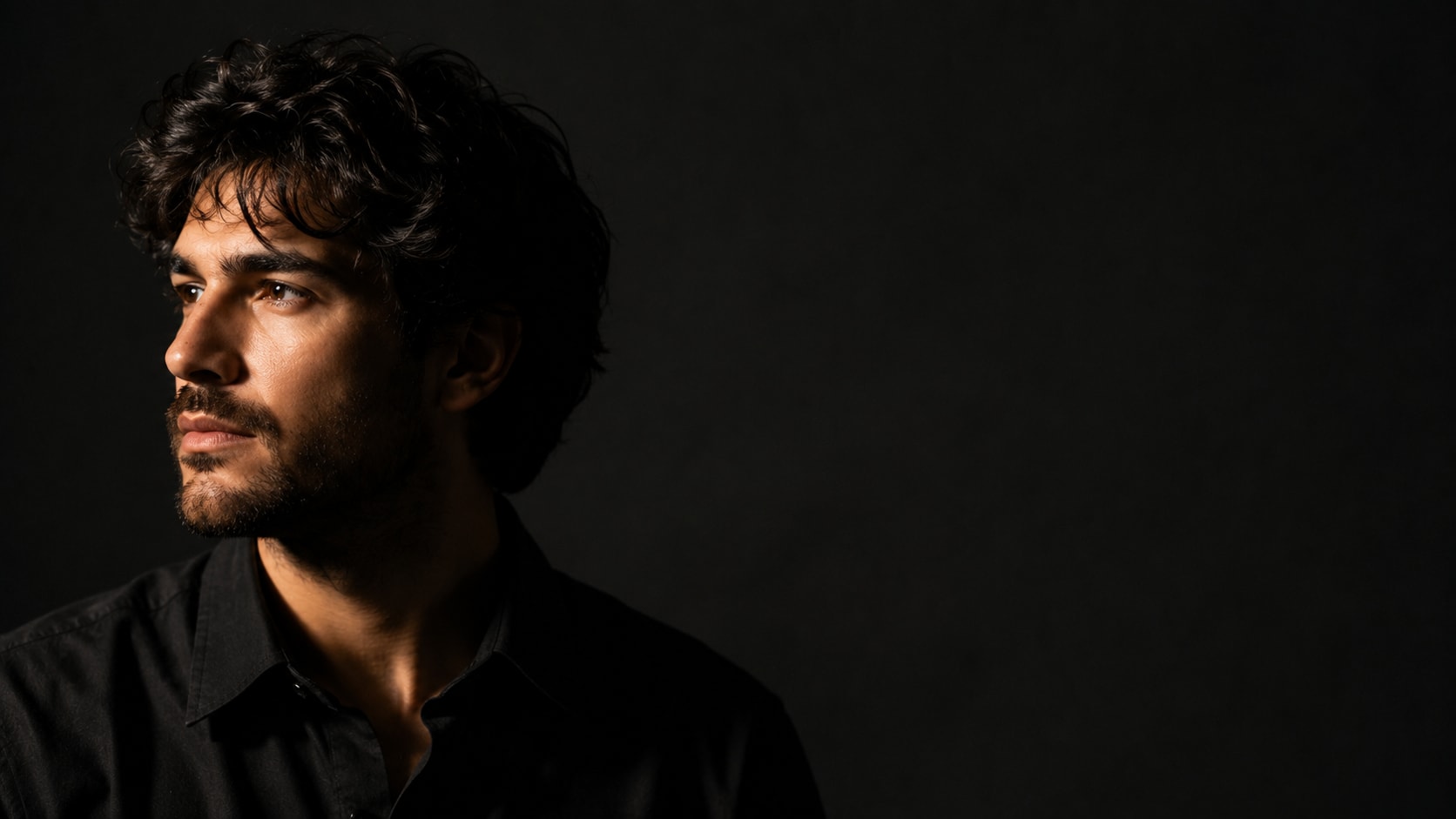
6. Face lit only by the glow of an off-screen screen, blue light on one side, warm orange bounce on the other, everything beyond the face falling into pure black, subject on the right third, left half entirely black, 16:9, cinematic, shot on 50mm.
7. Overhead flat lay of a single object sitting dead centre on a flat mustard-yellow surface, hard shadow cast to the lower right, generous empty space on all four sides, 16:9, product-photography lighting, no other objects in frame.
Tutorial and explainer
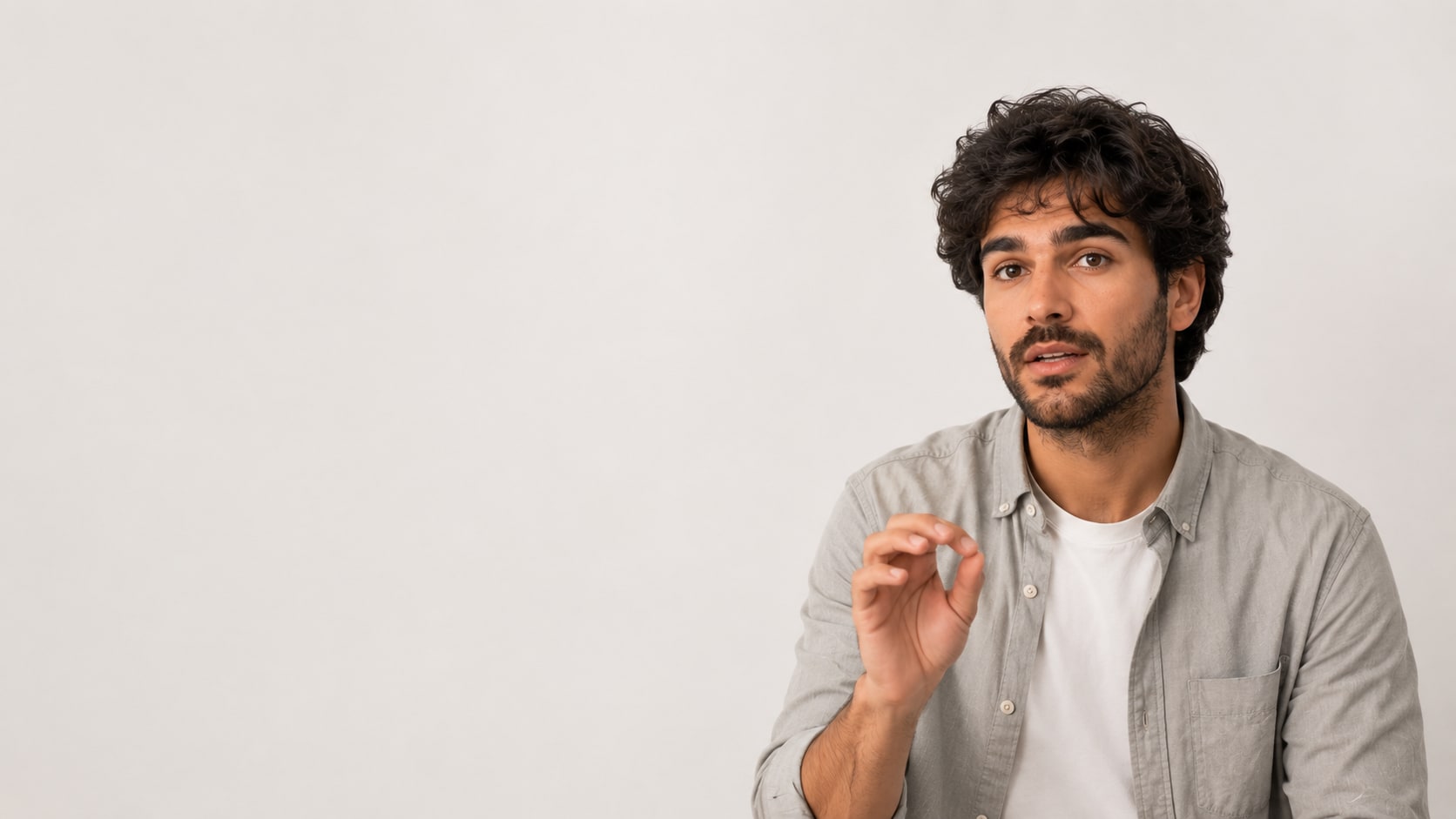
8. Medium shot of a calm person mid-explanation, one hand raised in a small gesture, soft large-source light from the front, plain off-white studio wall, subject on the right third, left 55% of the frame empty and evenly lit for text, muted palette of white and warm grey, 16:9.
9. Clean isometric illustration of three simple geometric blocks arranged in an ascending diagonal, flat vector style, single accent colour on a pale grey background, blocks confined to the lower right of a 16:9 frame, top left empty, thin consistent line weight, no text.
10. Close-up of a laptop screen glowing white and blown out, deliberately unreadable, viewed at a sharp angle, dark desk surface, single warm lamp from the left, screen occupying the right third, dark empty space filling the left, 16:9, shallow depth of field.
11. Side-by-side of two identical objects on a flat navy background, one crisp and well-lit, one dull and slightly out of focus, both in the lower half of the frame, upper half a clean unbroken navy expanse, even soft lighting, 16:9.
12. Single large arrow made of thick clean paper, casting a real shadow, resting on a flat cream surface and pointing toward the upper right, subject in the lower left quadrant, soft daylight from a window, minimal, 16:9, no digital effects.
13. Person in a plain sweater sitting cross-legged on the floor against a bare wall, relaxed posture, natural window light from the left, whole figure small in the right third of the frame, huge empty wall filling the rest, warm neutral palette, 16:9.
Money, business, and career
14. Confident waist-up portrait of a person in a dark blazer, arms folded, direct eye contact, single hard light from camera right with a deep falloff, matte charcoal background, subject on the left, right 50% pure unbroken charcoal, restrained palette of charcoal and gold, 16:9.
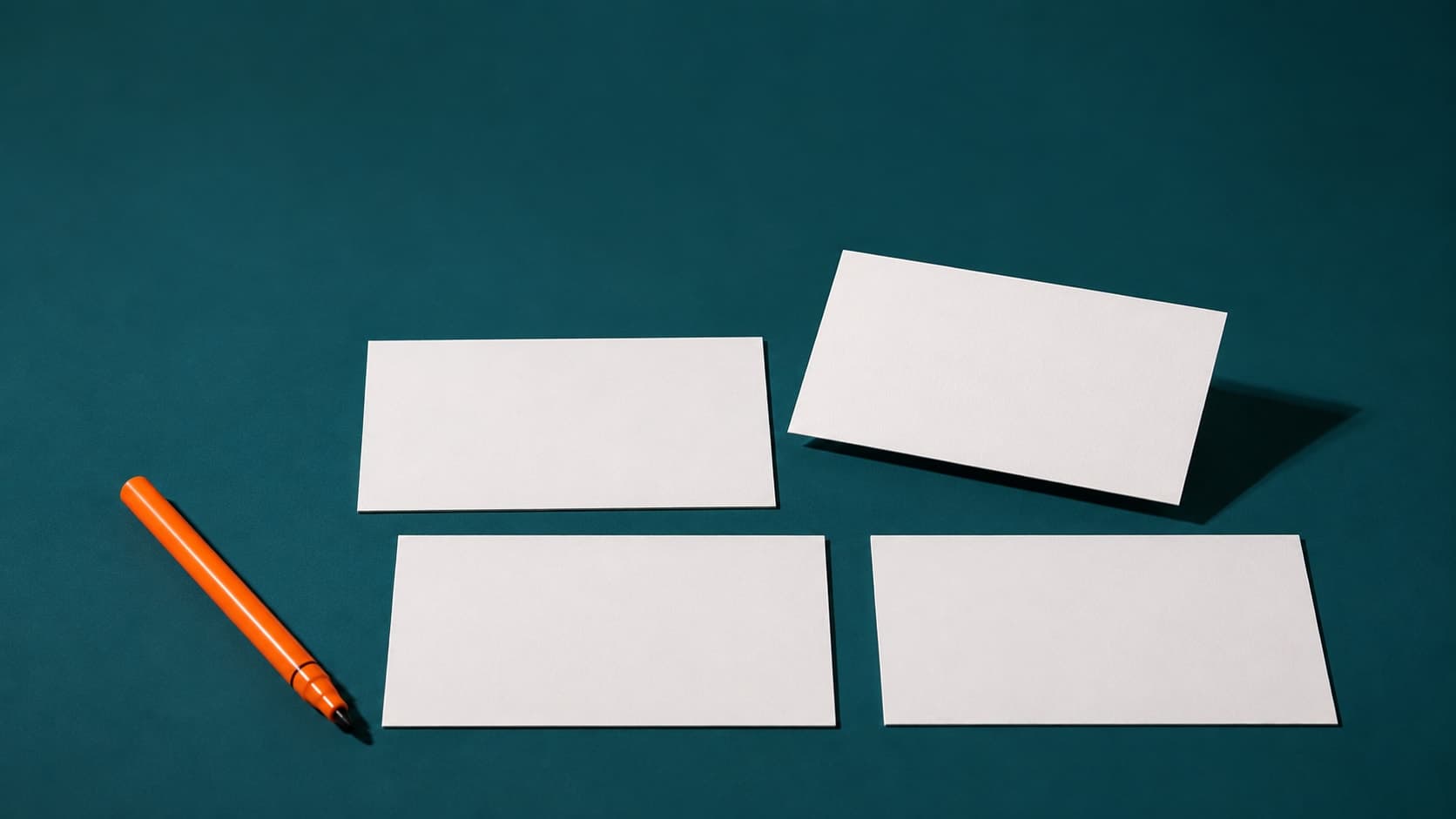
15. Macro shot of a stack of blank white cards fanned on a black glass surface with a reflection beneath, hard specular highlight along the edges, stack in the lower left corner, upper right dominated by black reflective emptiness, 16:9.
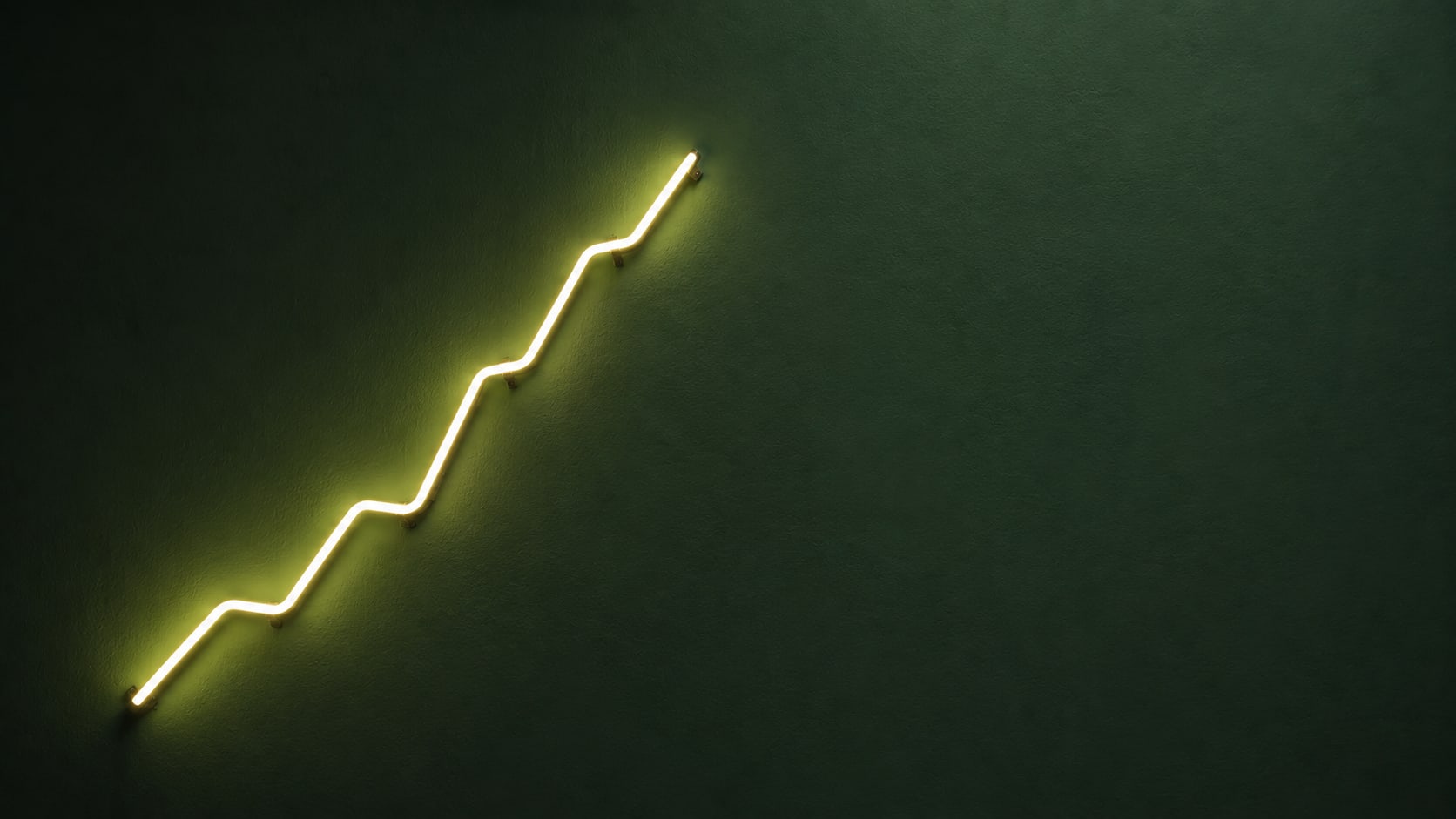
16. A single simple line chart drawn as a physical glowing neon tube against a matte dark green wall, line rising from the lower left to the upper middle, no axis labels, no numbers, large empty wall space to the right, soft ambient glow spill, 16:9.
17. Person walking away from the camera through an empty corridor with strong one-point perspective, silhouetted against a bright doorway at the end, everything else in deep shadow, figure small and low in the frame, 16:9, high dynamic range.
18. Two chairs on a flat beige background, one plain wooden and one plush leather, positioned in the lower right, hard even studio light, wide empty beige field across the top and left, 16:9, catalogue-style photography, no people.
Gaming and tech
19. Close-up of a face half-lit in magenta from the left and half in electric blue from the right, intense focused expression, pitch black background, subject on the right third, left half entirely black, heavy contrast, fine skin detail, 16:9.
20. A single piece of hardware floating against a flat dark purple void, lit from below with a cold rim light along the top edge, faint volumetric haze, object small and centred in the right half, left half empty void, 16:9, product-hero lighting.
21. Wide shot of a dark room lit only by a strip of magenta LED along the far wall, empty desk chair turned slightly toward the viewer, everything else in shadow, chair in the lower right, large dark negative space, 16:9, cinematic, slight film grain.
22. Extreme close-up of a mechanical keyboard at a low angle, one key catching a sharp orange highlight, rest of the board falling out of focus into darkness, keys running along the bottom edge, upper two-thirds of the frame pure dark, 16:9.
23. A person's hands mid-gesture over a table, everything above the shoulders cropped out of frame, cool overhead light, flat slate-grey surface, hands in the lower left, expanse of grey table filling the upper right, 16:9.
Vlog, travel, and personal brand
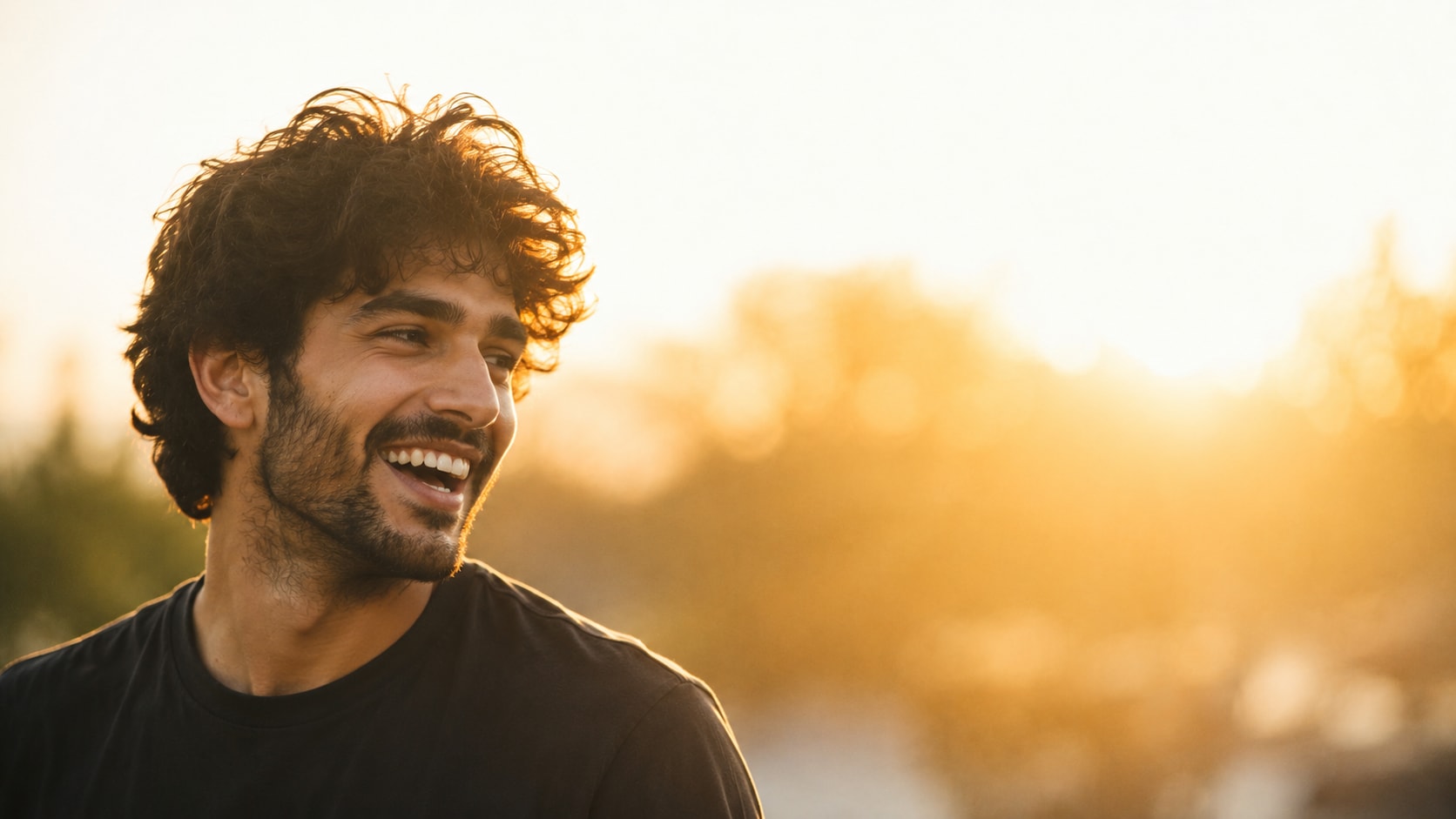
24. Candid shot of a person laughing while looking away from the camera, golden hour backlight creating a rim around the hair, background a soft blown-out wash of warm bokeh with no identifiable objects, subject on the left third, 16:9, shot on 35mm, natural and unposed.
25. Wide landscape with a lone figure standing small in the lower left corner, vast pale sky filling the upper two-thirds, muted desaturated palette of sand and cool grey, flat overcast light, 16:9, quiet and still.
26. Close-up of a person's hands wrapped around a plain ceramic mug on a wooden table, steam catching soft morning window light, face out of frame, shallow depth of field, hands in the lower right, soft empty warm background upper left, 16:9.
27. A packed open bag on a plain linen surface shot from directly above, contents deliberately simple and few, soft diffused daylight, bag in the lower half of the frame, clean empty linen across the top, muted earth tones, 16:9.
What I'd stop doing
Stop asking for text inside the image. Even when it works, you've welded the headline to the picture and killed your ability to test a new one on a Tuesday when the video is flat.
Stop generating at 1280 × 720. Generate large, downscale at the end. Downscaling adds apparent sharpness; upscaling adds mush.
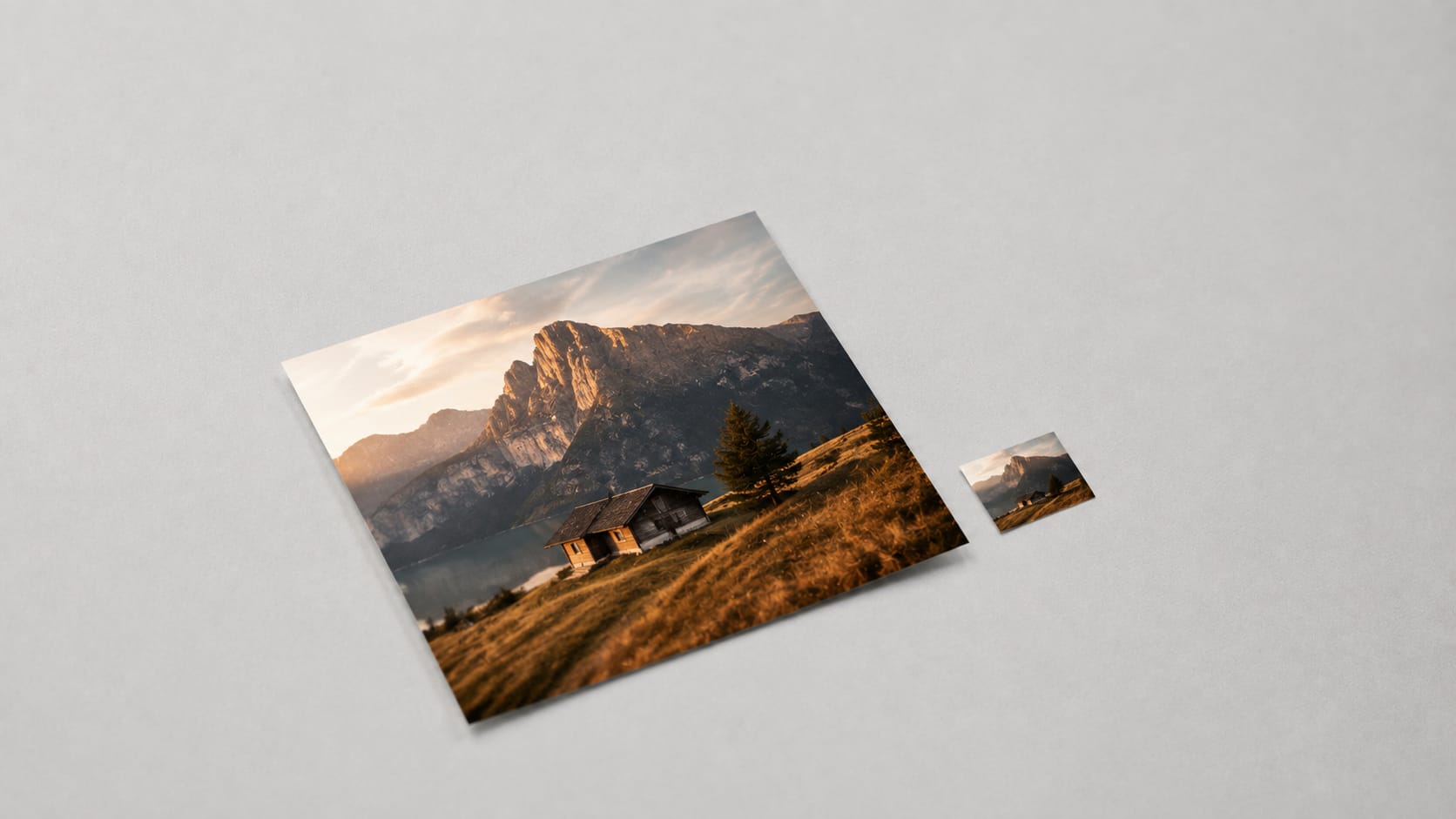
And stop checking your thumbnail on your monitor. Shrink it to roughly the size of a postage stamp and look at it out of the corner of your eye. If you can't tell what it is in that state, nobody scrolling their phone on a train is going to figure it out either.
The one habit that's worth more than any prompt here: generate four plates for the same video, put your headline on all four, and pick the one that reads fastest at small size. Not the prettiest. The fastest.
Frequently asked questions
/
Which model handles thumbnails best? Flux and Nano Banana handle text overlays and clean backgrounds well. Midjourney is stronger on faces and lighting drama but tends to fill the frame with detail, so the negative-space instruction matters more there. Try the same prompt in two and keep the one that leaves you room to work.
What size should the final file be? 1280 × 720 at 16:9, under 2 MB. Generate at 4K or whatever your model's ceiling is and resize down at the end.
Are AI thumbnails against YouTube's rules? No. Normal rules apply — don't use someone else's likeness, don't fabricate a scene that misrepresents the video, don't build a thumbnail out of copyrighted footage. Beyond that, nobody cares how the pixels got made.
Should the thumbnail match the title exactly? It should complete it, not repeat it. If the title says the number, the image should show the reaction to the number. Two channels saying the same thing twice is a wasted half of your real estate.
How many words of text? Three or four. Six is a paragraph at phone size.
If you'd rather not build these from scratch every time, we keep a growing library of tested image and video prompts — thumbnails, product shots, cinematic stills, ad creative — at makeframe.online/prompts. Copy, paste, swap the nouns, ship the video.
Go look at your last five thumbnails at postage-stamp size. I'll bet at least two of them have text sitting on a face.
Comments (0)
Sign in to join the conversation.
No comments yet. Be the first to share your thoughts.